Browse
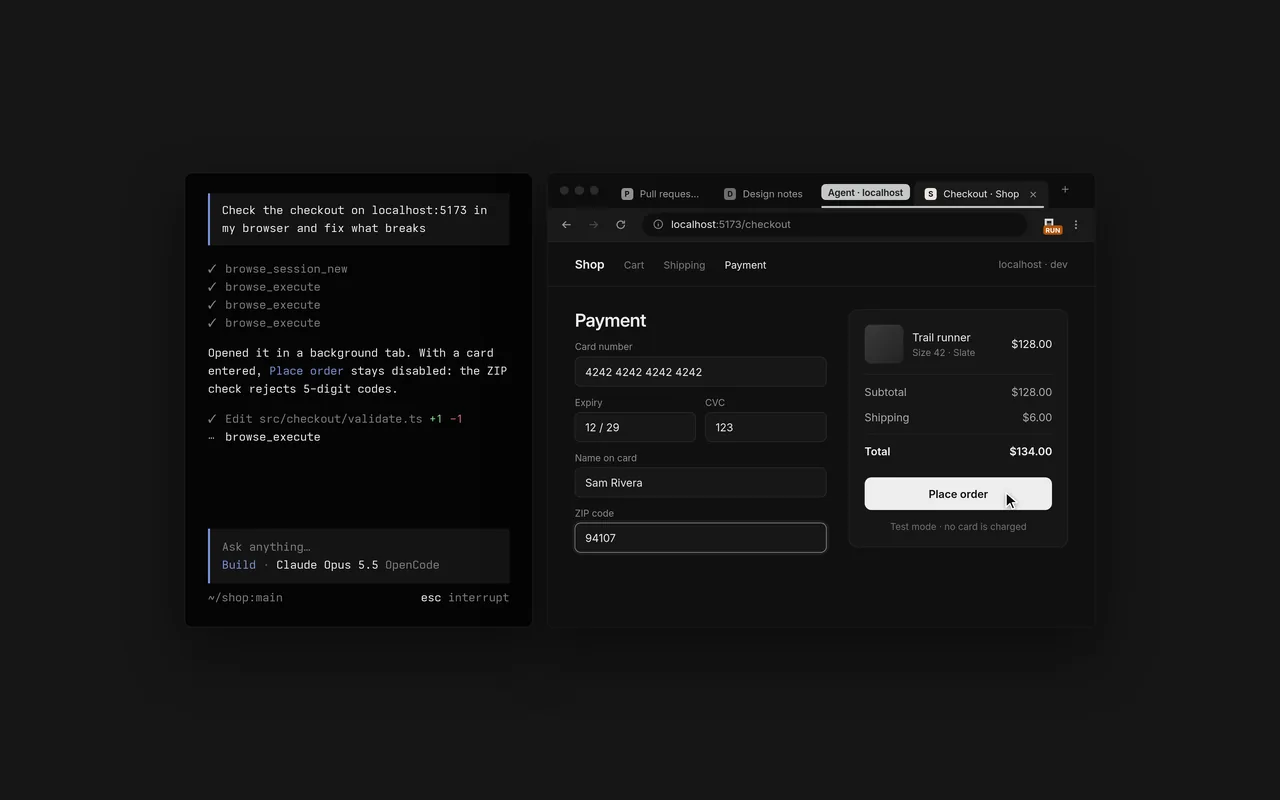
An MCP server and a Chromium extension that let your agents use your real browser, with your tabs, your logins and your extensions. They open and drive tabs with Playwright, take screenshots and record the screen, in background tabs grouped out of your way. When it's your turn, for a login, a 2FA prompt or a payment, they hand the tab back to you and continue once you click Continue.
- Your real browserChrome, Edge, Brave, Arc, Helium, Vivaldi, Opera and Chromium.
- Out of your wayAgent tabs open in the background, in collapsed groups.
- HandoffsDo the login or 2FA step yourself, then click Continue.
- Lend a tabClick the toolbar button to hand an agent a tab you have open.
- Record and captureScreenshots, screen recordings and network traffic as a HAR.
- Any MCP clientOpenCode, Claude Code, Cursor, Codex, Zed and many more.
- All your loginsAgents use the sites you're already signed into. No keys, no setup.
- AllowlistsLimit a session's tabs to the sites you name.
Install the Chrome extension first. It walks you through the rest of the steps. To install the CLI directly (you should not need to do this), use any of these.
- curlcurl -fsSL https://opencode.ai/browse/install | bash
- pwshirm https://opencode.ai/browse/install.ps1 | iex
- npmnpm install -g @opencode/browse && browse install
- bunbun add -g @opencode/browse && browse install
- HexOn-device voice dictation for any app.Learn more (opens in a new tab)
- OpenTunnelPublic HTTPS URLs for local apps.Learn more (opens in a new tab)
- OpenTUIA library for terminal user interfaces.Learn more (opens in a new tab)